Publish your app to the marketplace
The Publisher lets you turn an app you built into a product other businesses can find, sign up for, and install from the ERP•AI marketplace (Browse Apps) and your own public product website.
Before you begin
You need the organization permission Publishing → Manage publishing (claim the publisher URL, accept the terms, and publish or unpublish products).
Open the Publisher
Click Publisher in the organization sidebar. It has three tabs:
| Tab | Purpose |
|---|---|
| Publishing | Choose an app (App to publish) and open its publishing setup and customer links |
| Performance | See how published apps perform, for example sign-ups, opened processes, and completed first tasks |
| Profile | Your public publisher profile |
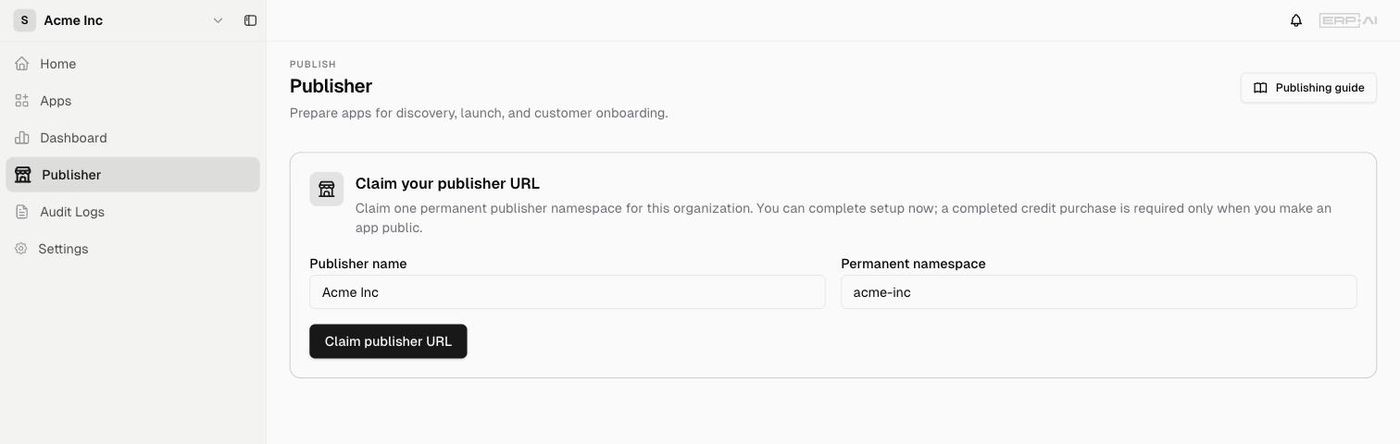
First time: claim your publisher URL
The first time an organization opens the Publisher, you’re asked to Claim your publisher URL:
- Publisher name: the name customers see
- Permanent namespace: your public handle, used in
www.erp.ai/site/<namespace>. It can’t be changed later.
Click Claim publisher URL. You can finish setting up now; a completed credit purchase is only needed when you make an app public.
Set up your publisher profile (Profile tab)
- Public identity: your publisher name and public URL (
www.erp.ai/site/<your-handle>) - About: a short description customers see
- Contact and expertise: Website, Support email, Logo image URL, Expertise (comma-separated, for example ERP, CRM, HR, Operations)
- A Terms accepted badge appears once you’ve accepted the terms.
Click Save changes.
The publishing guide: build first, publish when ready
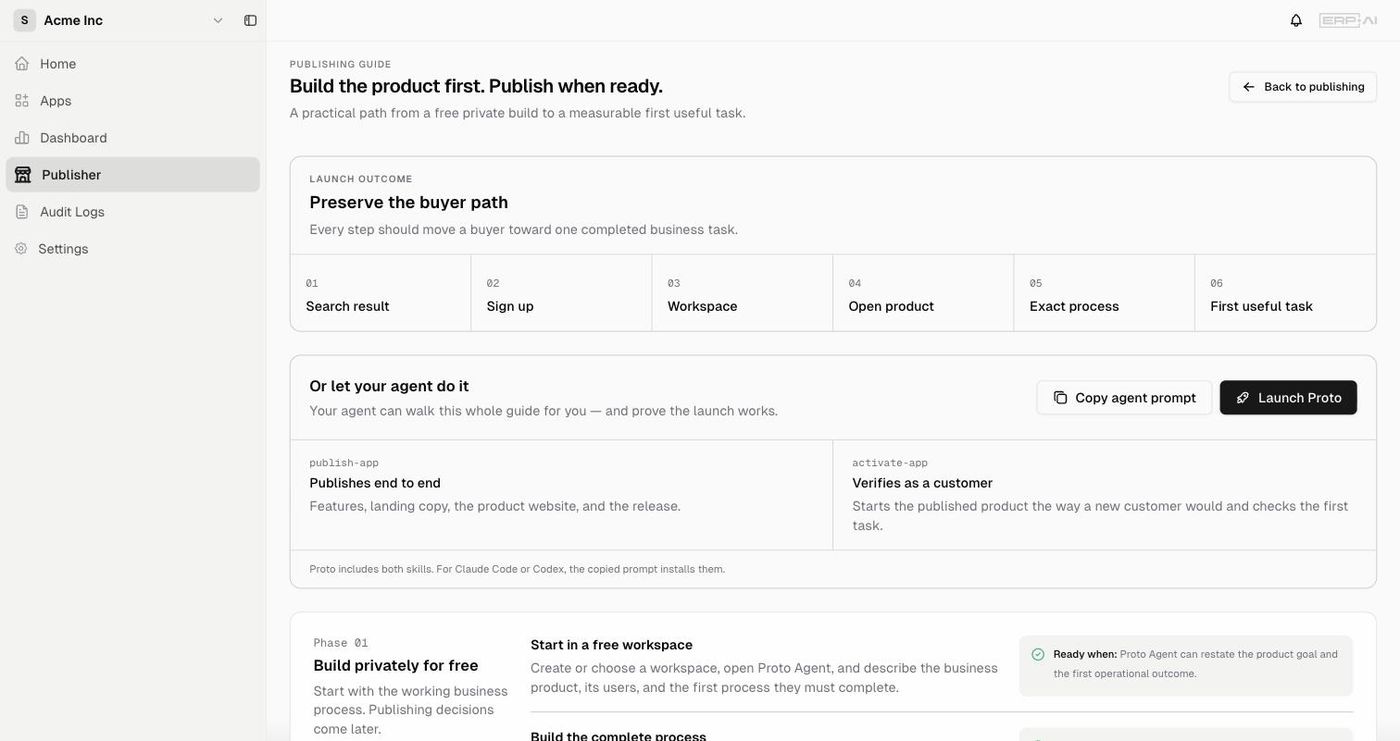
Click Publishing guide for a step-by-step path. The goal is to preserve the buyer path: every step should move a buyer toward one completed business task:
Search result → Sign up → Workspace → Open product → Exact process → First useful task
Phase 01: Build privately (free)
- Start in a free workspace. Open Proto and describe the business product, its users, and the first process they must complete. Ready when Proto can restate the product goal and first outcome.
- Build the complete process. Use Proto to create the tables, forms, pages, roles, and permissions, and Proto Workflows for approvals, triggers, retries, and long-running automation. Ready when an operator can finish the process without help from the builder.
- Complete one real task. Run the product privately with fresh sample data. Ready when the app produces a useful, traceable business result.
Phase 02: Prepare the product
- Name and explain the product. Say who it serves, the processes it covers, and the outcome customers get. Ready when a new customer understands it without knowing ERP•AI.
- Design the public website. Describe the brand and customer journey, then review the preview of the homepage, product pages, pricing, support, sign-up, and sign-in. Ready when the site sells the product and opens the right process inside ERP•AI.
- Review every role and exception. Test forms, permissions, approvals, exceptions, and workflows with fresh sample records. Ready when a clean workspace can start the product and complete its first task.
Phase 03: Activate and publish
- Confirm publishing details. Public handle, support contact, sign-up behavior, and acceptance of the current terms.
- Publish as the owner. The owner reviews the product, website, customer entry path, and public information, then explicitly publishes the release. Ready when Publishing shows a Live revision and the public product URLs are available.
- Learn from customer activation. Compare sign-ups, opened processes, and completed first tasks, and improve the first point where customers drop off.
Let an agent do it
In the guide, click Copy agent prompt or Launch Proto. Proto includes two skills:
- publish-app: publishes end to end (features, landing copy, product website, release)
- activate-app: verifies as a customer (starts the published product the way a new customer would and checks the first task)
For Claude Code or Codex, the copied prompt installs both skills.