Skip to main content Enter
Proto Workflows Headless SaaS
Enterprise
Enterprise Identity, access, deployment, and support controls for contracted environments. Version control Branches, releases, snapshots, and history in the per-app Command Centre.
Enterprise Talk to sales. Deployment, support, security, procurement and commercial terms. Contact sales
Pricing
Search apps — ⌘K / Ctrl K Sign Up
Proto Workflows Headless SaaS
Enterprise
Enterprise home Version control Contact sales
Pricing
Sign Up
  1. Home
  2. Help
  3. Proto guide
  4. Background tasks

Background tasks

Long jobs run in the background so you can keep working in the same thread.

Proto guide 1 min read Article 10 of 10 in Working with Proto

On this page

  1. When Proto uses background work
  2. Where to see it

Working with Proto

  1. Writing effective requests
  2. Work modes overview
  3. Using plan mode
  4. Using uninterrupted mode
  5. Goals and todos
  6. Structured questions and follow-up buttons
  7. Managing threads and sessions
  8. Attaching files
  9. Stopping a running task
  10. Background tasks

When Proto uses background work

Proto moves long builds, large jobs and research into the background automatically. You can also ask, for example “Run this in the background and let me know when it’s done.”

Where to see it

Background work appears in the Subagents panel. Type /tasks to show or hide it. The panel lists Active and Done tasks. When nothing is running, it shows “Nothing running.”
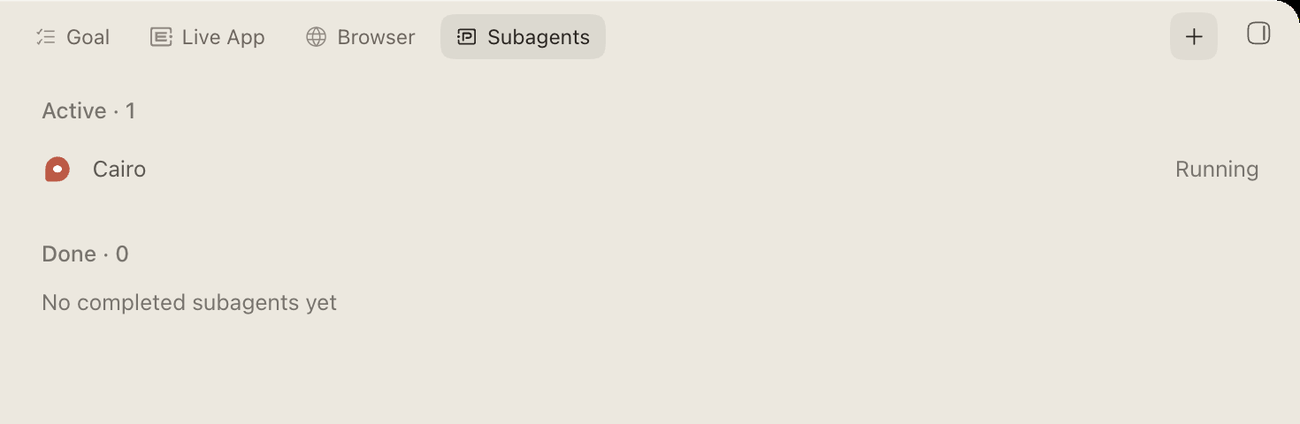
Subagents panel with a running task
You can…How
Check statusEach entry shows its status and duration. Long jobs report progress as they go.
Read the outputOpen the entry.
Bring the result into the chatAsk Proto, for example “Show me the result of the import check.”
PreviousStopping a running task Next Building an app with Proto

Related articles

Large and bulk jobs Ask Proto to do the same thing across hundreds or thousands of items. You get one clear summary back, plus a file or result for each item if you want one.Stopping a running task You can stop Proto at any point. Work already saved stays saved.Work modes overview Proto has five ways of working. Pick the one that matches how much you want to be involved.

Get help from the team.

In ERP•AI, open the organization or app menu and choose Report an issue. For deployment, billing or contract questions, write to the team.

Contact the team Open ERP•AI
ERP.AI

Business apps and Proto, a personal agent for your business.

Products

  • Business Apps
  • Proto
  • Workflows
  • Headless SaaS
  • Platform

Company

  • Company
  • Enterprise
  • Pricing
  • Contact
  • Partners

Resources

  • Resources
  • Documentation
  • Help Center
  • Security
  • Legal
  • Photo credits
© 2026 ERP•AI. All rights reserved. · Built with Proto
System status

Your Privacy, Your Choice

We use essential cookies to run the site and optional cookies for features, analytics, and relevant content. See Cookie policy

Manage Your Cookie Preferences

We use cookies to enhance your experience, analyze site traffic, and serve relevant content. By clicking "Accept All," you agree to our use of cookies. You can customize your preferences at any time.

Your browser's Global Privacy Control signal is honored: advertising cookies are off.

Learn more about how we use cookies

These cookies are required for the website to function properly. They ensure security, enable basic features like page navigation, and store user session data. You cannot disable these cookies.

These cookies enable additional features that enhance your experience, such as live chat, video playback, personalized content recommendations, and remembering user preferences.

These cookies help us understand how visitors interact with our site by collecting anonymous usage data. This allows us to measure performance, detect issues, and continuously improve the user experience.

These cookies allow us and advertising partners, including X, to deliver ads tailored to your interests. They track browsing habits across sites to provide relevant advertising and measure ad effectiveness.

Meet Proto.Free to use.

A personal agent for your business.

Brief Proto. It works across your files and tools, then brings the results back.

89.5% of attempts accepted on BusinessBench.

Download Proto

Also for macOS Windows Linux

Your own model provider may charge for usage.