Goals and todos
Todos track the steps of the current task. A goal tracks a larger objective that can take several runs to finish.
Todos
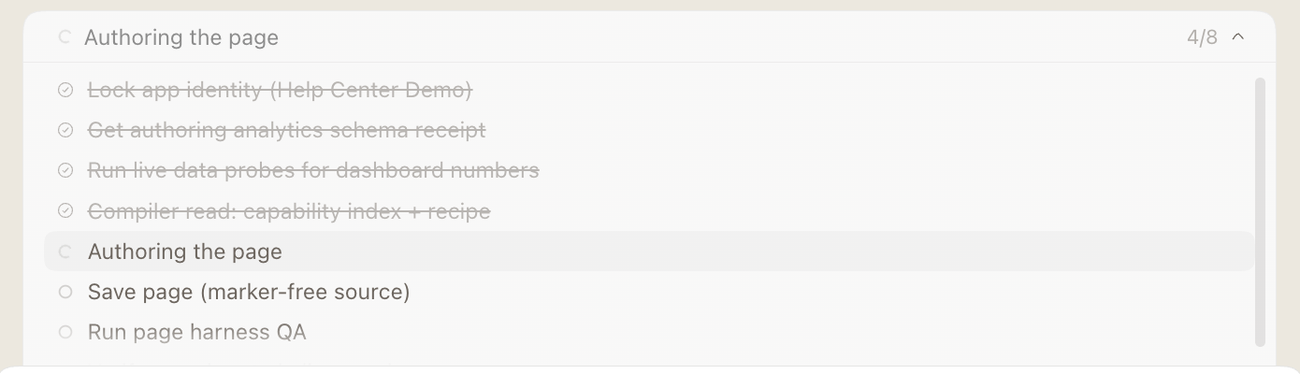
For any task with three or more steps, Proto shows a live todo list. Each item moves from pending to in progress to completed as the work happens.
Goals
A goal is a persistent objective for the thread. It appears in the goal chip above the composer, with its status, such as Pursuing goal or Paused.
| To… | Do this |
|---|---|
| Create a goal | Type /goal <objective>, or ask “Set a goal to finish the procurement app.” |
| View a goal | Type /goal, or look at the goal chip. |
| Edit, pause, resume or clear a goal | Use the goal chip controls. |
| Complete a goal | Proto marks it complete once the objective is met and no work remains. |
| Replace a goal | Clear it with the goal chip controls, then set a new one. |

Goals can’t close with open todos
A goal cannot be closed while any todo is still pending or in progress. Proto must finish those items, or cancel the ones that no longer apply, first. A completed goal always means its checklist was resolved.
Note: Goals need a workspace folder. If none is open, you will see “Open a folder before using /goal.”