Managing routines
See, pause, edit, test and delete routines from the Routines panel or by asking Proto.
The routines panel
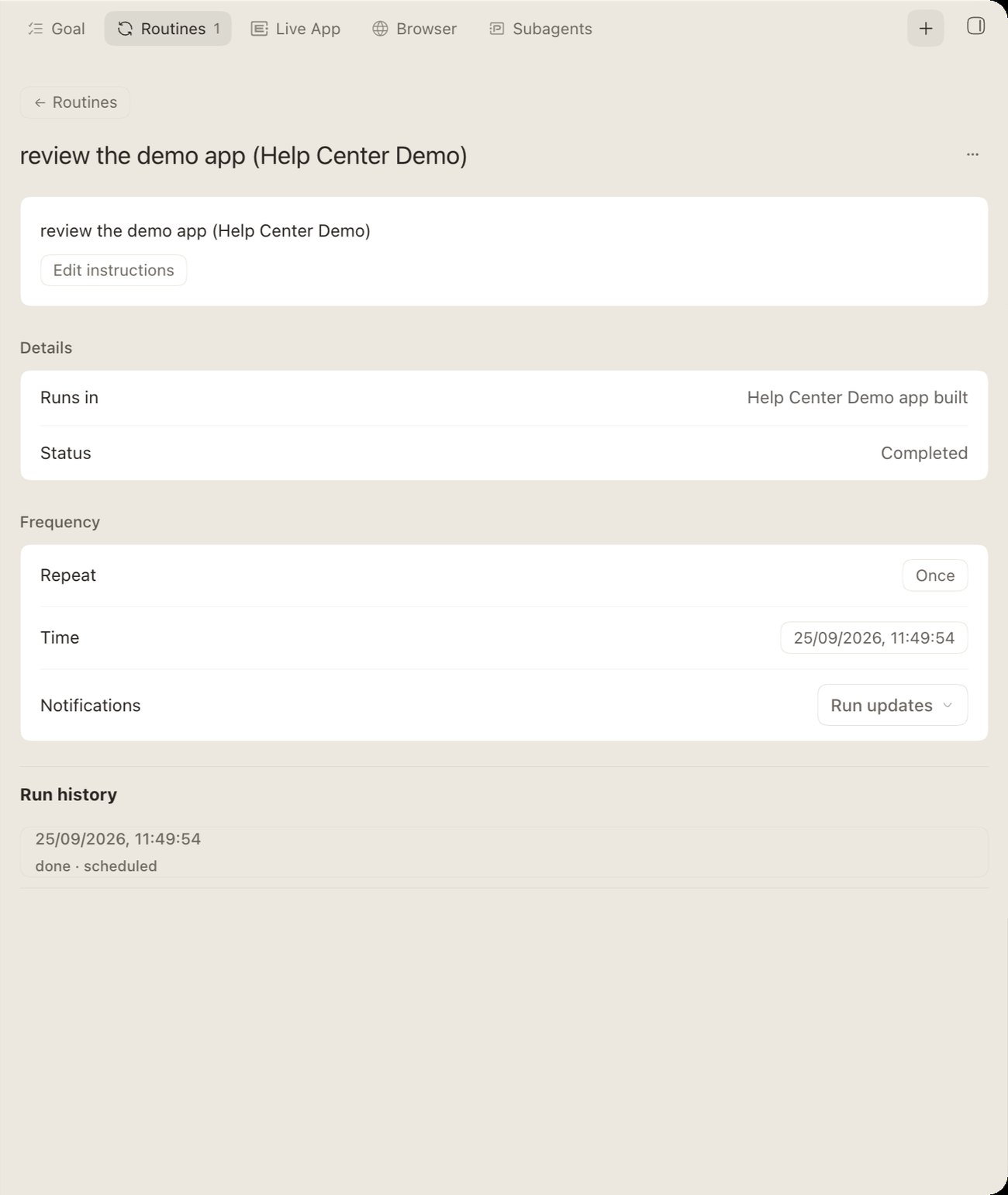
The Routines panel lists each routine in the thread. Open one to see its instructions (with Edit instructions), its schedule, its Notifications setting and its Run history. Use the Routines back control to return to the list.
If the thread has no routines, you’ll see “No routines in this thread yet.”
Manage routines by asking
| Task | Example request |
|---|---|
| List | “Show me all my routines.” |
| Pause | “Pause the 8:30 production reminder.” |
| Resume | “Start the daily 9:00 summary again.” |
| Edit | “Change the product-page watch to every 30 minutes.” |
| Test run | “Do a test run of that workflow routine and show me what it reports.” |
| Delete | “Delete the weekly reconciliation routine.” |
| Tune | “The daily summary is too long. Keep it to five bullets.” |
Note: Routines run unattended inside the permissions they were set up with. If one hits a missing permission, it stops and reports the blocker.