Managing memory
View, change or clear what Proto remembers, by asking or from Settings.
By asking
| To… | Ask |
|---|---|
| Save something | “Remember that our fiscal year starts in October.” |
| See what’s saved | “What do you remember about our invoicing?” |
| Change something | “Update that: our fiscal year starts in July.” |
| Forget something | “Forget what I said about the Denver warehouse.” |
From the composer
Type /memory to see your current memory files and status.
From settings
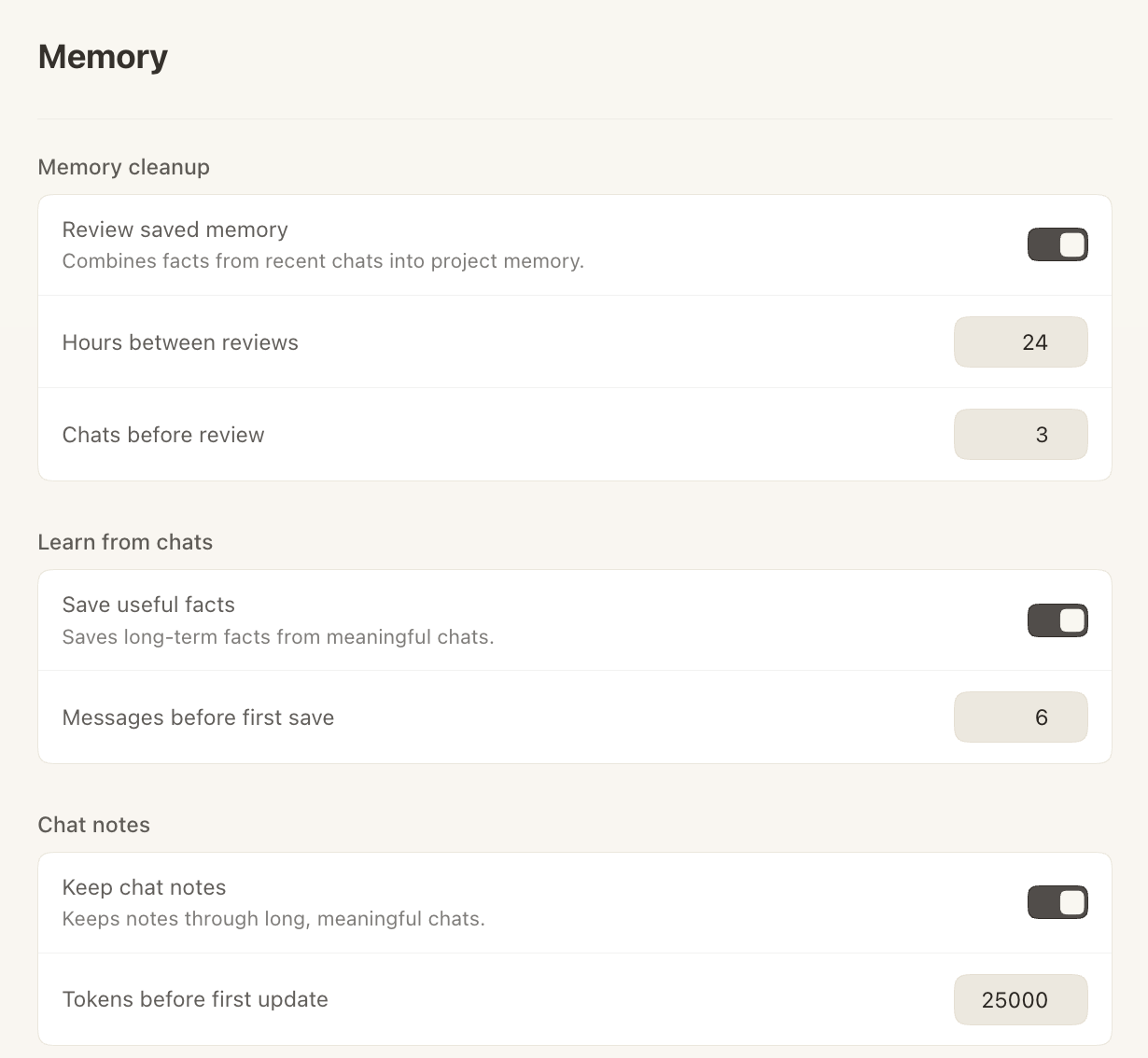
Open Settings → Memory.
| Section | What it controls |
|---|---|
| Memory cleanup | Review saved memory combines facts from recent chats into your project memory. You can set the hours between reviews and how many chats trigger one. |
| Learn from chats | Save useful facts keeps long-term facts from meaningful chats. Turn it off to stop Proto saving new memories. You can also set how many messages come before the first save. |
| Chat notes | Keep chat notes keeps notes through long conversations. |