Security, browser and other settings
Some settings control what Proto is allowed to do. You change these yourself in Settings (⌘ , or /settings). Proto can’t change them.
Settings has these tabs:
- General: where files and web links open, your code and text editor, keeping Proto in the menu bar (macOS) or system tray (Windows), and Keep computer awake while Proto works.
- Profile: your name and photo.
- Appearance: theme mode, light and dark themes, accent color, translucent sidebar, transcript view, pet companion, fonts and text sizes.
- Shortcuts: every keyboard shortcut, with the option to change any binding.
- Models: your plan or account mode, model API keys (for example OpenRouter or your ChatGPT/Codex account), and more providers, including local model servers.
- Routines: your scheduled and recurring routines.
- Memory: memory cleanup, learning from chats, chat notes, saved project memory, and project instructions (files such as
PROTO.md,AGENTS.md, orCLAUDE.md). - Skills: installed skills.
- Design guide: the default design guide for cloud sessions and this project’s
DESIGN.md. - Voice typing: the voice service and its provider setup.
- Permissions: how actions are approved: Uninterrupted mode and Always ask before sending, paying or saving records.
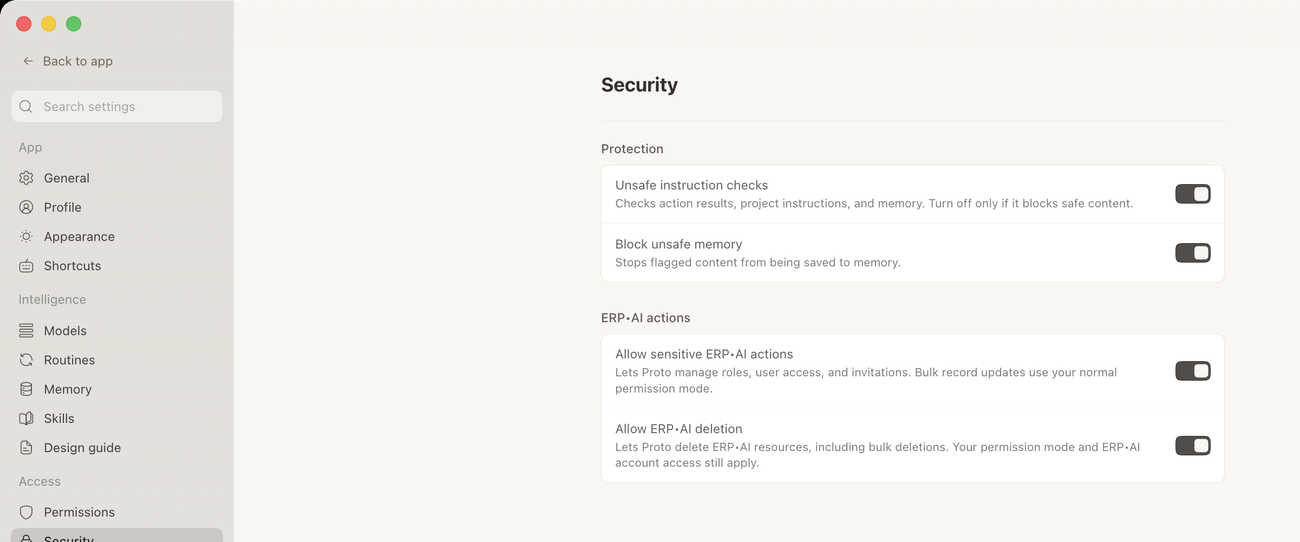
- Security: Allow sensitive ERP•AI actions (roles, user access and invitations), Allow ERP•AI deletion, Unsafe instruction checks, and Block flagged memory writes.
- Privacy: whether to send the chat along with error reports.
- Plugins: plugin (MCP) connections and the plugins and skills new chats start with.
- Messaging: connections to Telegram, Discord, and Slack, plus who can use them.
- Computer Use: desktop control and its setup checklist.
- Browser: the browser profile Proto uses, the Vault for secrets, and saved Passwords.
- Activity recap: an optional daily recap of your activity, and the time it arrives.
- Usage: your time in Proto and your managed plan balance.
- About: version, open-source notices, provider, workspace, and updates.
- Performance and Advanced: performance options, and ERP•AI backend (which ERP•AI server Proto connects to).
If you ask Proto to change one of these, it points you to the right screen instead.