Personal settings
Change how Proto looks and behaves on your computer. Most of these are in Settings → Appearance, and you can also ask Proto to change them for you.
| Setting | Options | Default |
|---|---|---|
| Appearance | Light, Dark, Follow the system | Follow the system |
| Light theme | Proto, Classic, GitHub Light, Paper, Studio, Catppuccin Latte, One Light, Rosé Pine Dawn, Solarized Light | Proto |
| Dark theme | Proto, GitHub Dark, Paper, Studio, Ember, Catppuccin Mocha, Dracula, Monokai, Nord, One Dark, Tokyo Night | Proto |
| Text size | 1 (smallest) to 9 (largest) | 5 (Normal) |
| Code text size | 1 (smallest) to 9 (largest) | 5 (Normal) |
| Density | Compact, Comfortable, Spacious | Comfortable |
| Accent color | Default, Blue, Green, Yellow, Pink, Orange, Purple, Black | Default |
| Open web links in | Proto’s browser, your default browser, or ask each time | Proto’s browser |
| Transcript view | Normal (groups work steps) or Verbose (shows full details) | Normal |
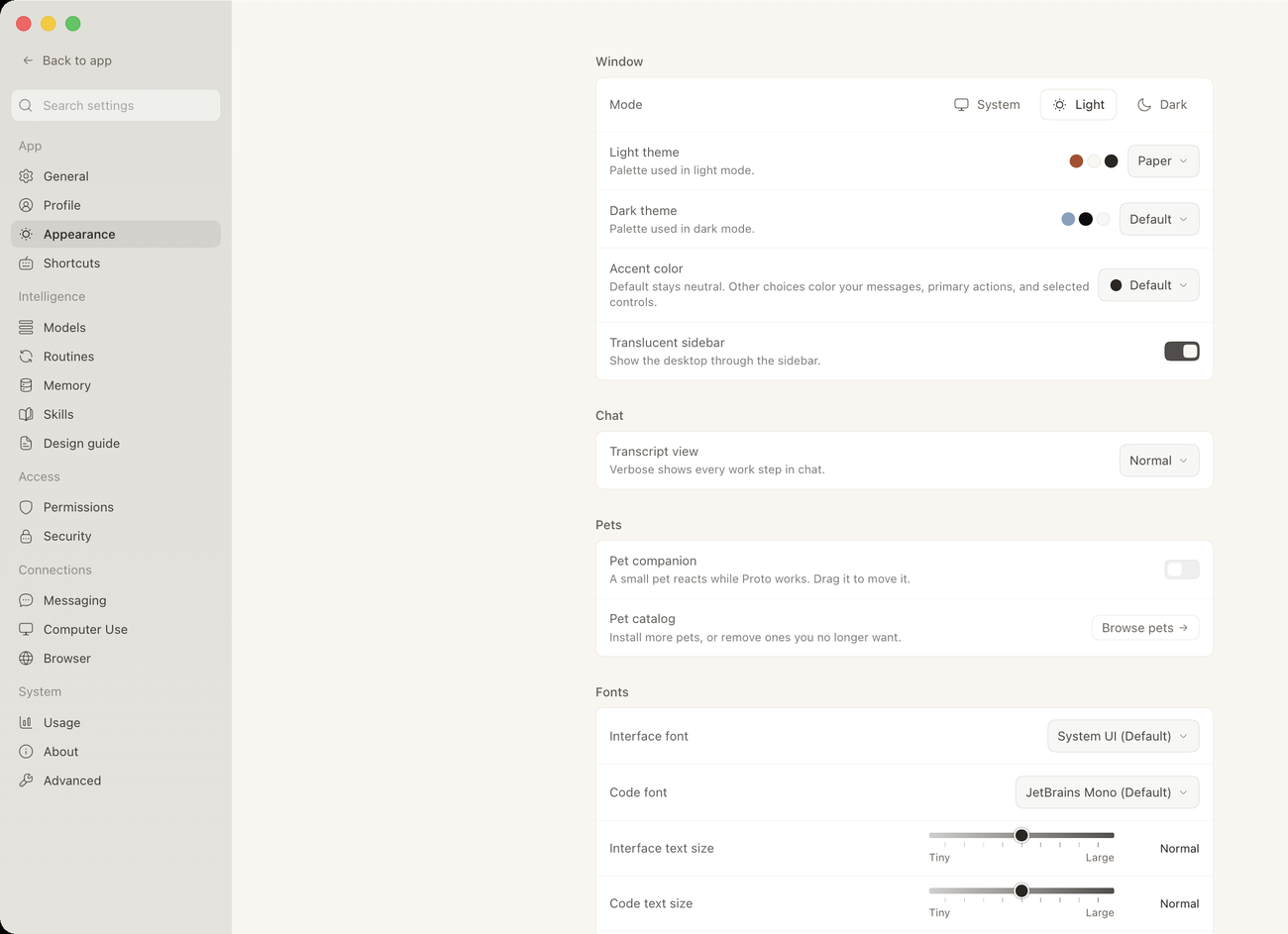
Settings → Appearance also has Translucent sidebar, Pet companion, Interface font, Code font, and Font smoothing. Open web links in is under Settings → General.
Change settings by asking
- “Make the text bigger.”
- “Switch to the Dracula dark theme.”
- “Use compact density.”
Proto confirms each change and tells you the previous value, so you can switch back.
Note: Personal settings apply to your Proto app on this computer, not just the current conversation.