Columns
Proto adds and updates every column type in ERP•AI, including formulas, rollups, AI columns and validation rules.
Column types
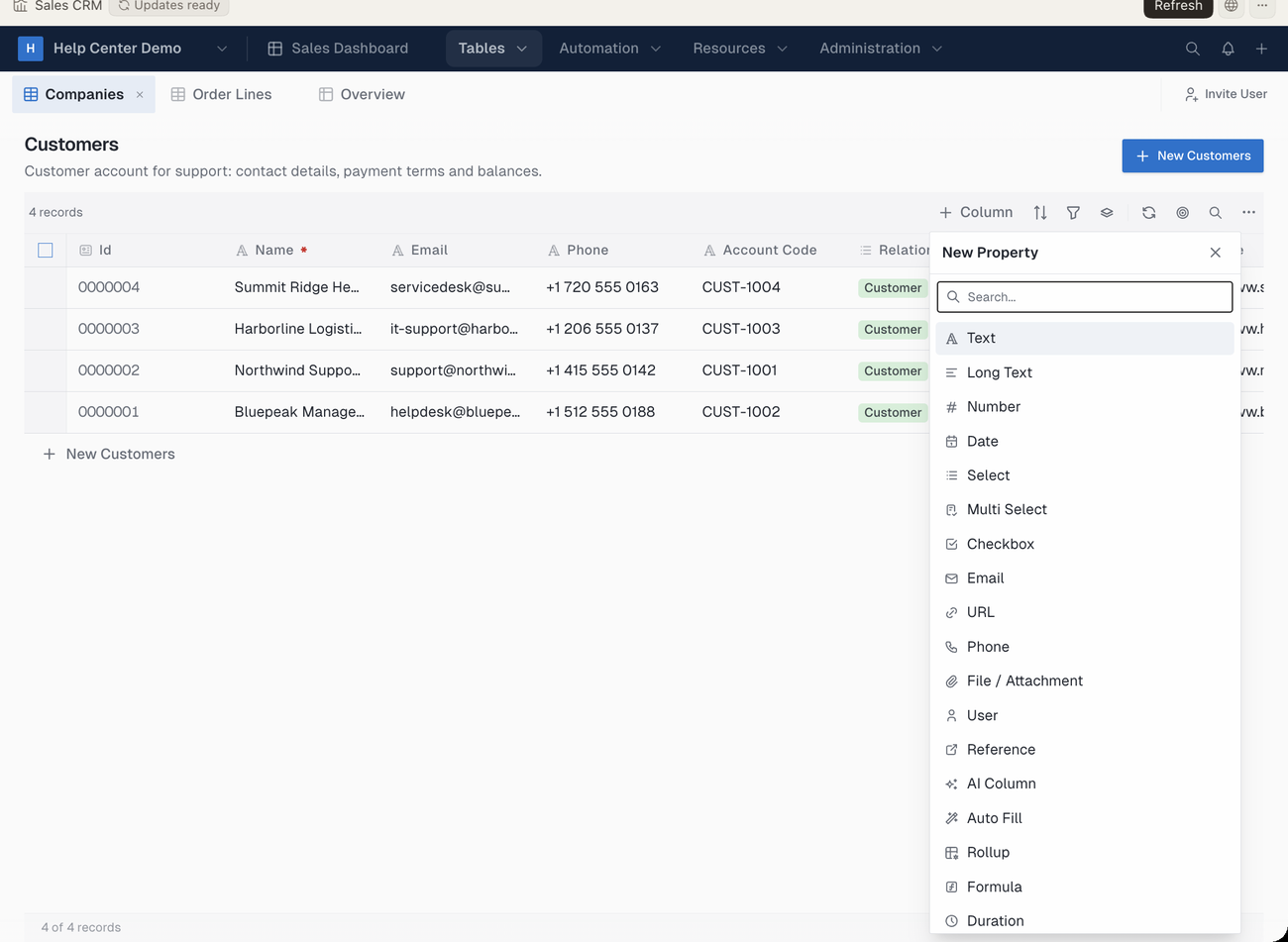
In the ERP•AI app, new columns are added from the New Property picker. It lists these types:
| Column type | Use it for |
|---|---|
| Text | Short free text |
| Long Text | Multi-line text |
| Number | Numbers, including currency |
| Date | Dates and date-times |
| Select | One choice from a list |
| Multi Select | Several choices from a list |
| Checkbox | Yes/no values |
| Email addresses | |
| URL | Web links |
| Phone | Phone numbers |
| File / Attachment | Files and images |
| User | A person in your workspace |
| Reference | A link to one or more records in another table |
| AI Column | A value generated or extracted by a prompt |
| Auto Fill | A value pulled from a table that isn’t directly linked |
| Rollup | A total, count or other summary of child records |
| Formula | A value calculated from other fields |
| Duration | Time spent, in hours or days |
Example requests
- “Add a Margin % formula column to Products.”
- “Add a rollup on Purchase Orders that sums line totals.”
- “Add an AI column that summarizes each support ticket in one sentence.”
- “Make Email required on Contacts.”
- “Reorder the columns on Products so SKU and Description come first.”