Workflows
Proto builds, tests and activates workflows that automate your processes.
Example requests
- “Trigger an approval whenever a requisition is over $10,000.”
- “Add a trigger when a goods receipt is posted.”
- “Build a returns and refunds workflow and test it.”
- “Test this workflow with a sample trigger and show me the run.”
Where workflows live
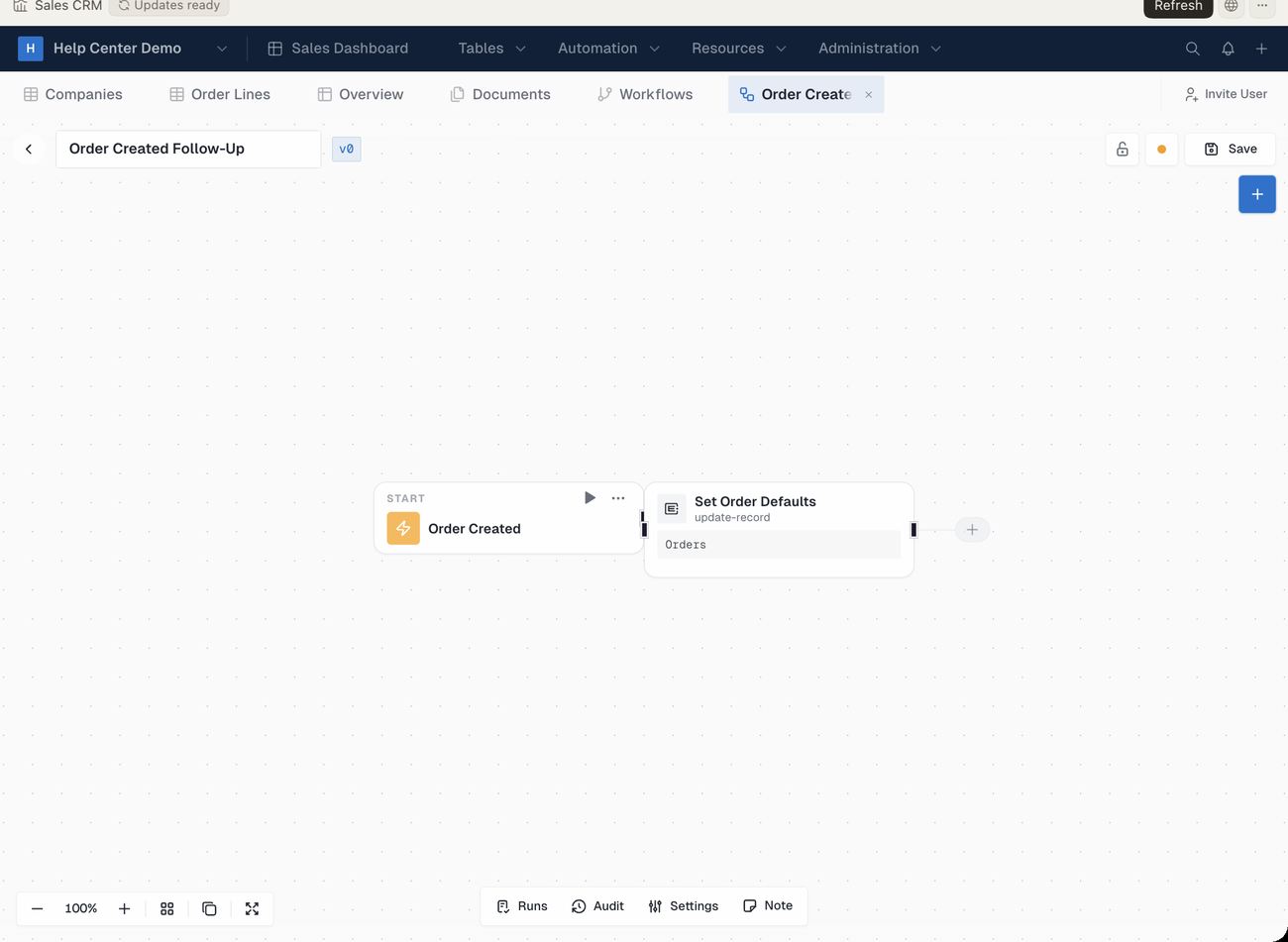
In the ERP•AI app, click Automation → Workflows in the app sidebar (or the top bar, if the app uses top navigation). Each workflow opens in the Workflow editor, with Runs, Audit, Settings and Note along the bottom. Workflows run from records, pages, triggers or a schedule.
Testing before you activate
Proto runs the workflow with a sample trigger and checks that the expected records were created or updated. It only calls a workflow done after a real test run succeeds.
| You can ask Proto to… | Example |
|---|---|
| Test | “Test the approval workflow with a $12,500 requisition.” |
| Activate or deactivate | “Activate the receiving workflow.” |
| Inspect runs | “Show me the last five runs and any failures.” |
| Retry or stop a run | “Retry the failed run from this morning.” |
| Audit | “Check this workflow for missing rules or retries.” |
Tip: To run a workflow on a schedule, see Recurring Tasks and Scheduled Workflows.