What is ERP•AI?
ERP•AI is a platform for building and running business software such as CRMs, inventory systems, HR tools, procurement portals, and full ERPs. You don’t have to write code. You can start from a ready-made app, build your own step by step, or describe what you need to Proto, the built-in AI agent, and let it build the app for you.
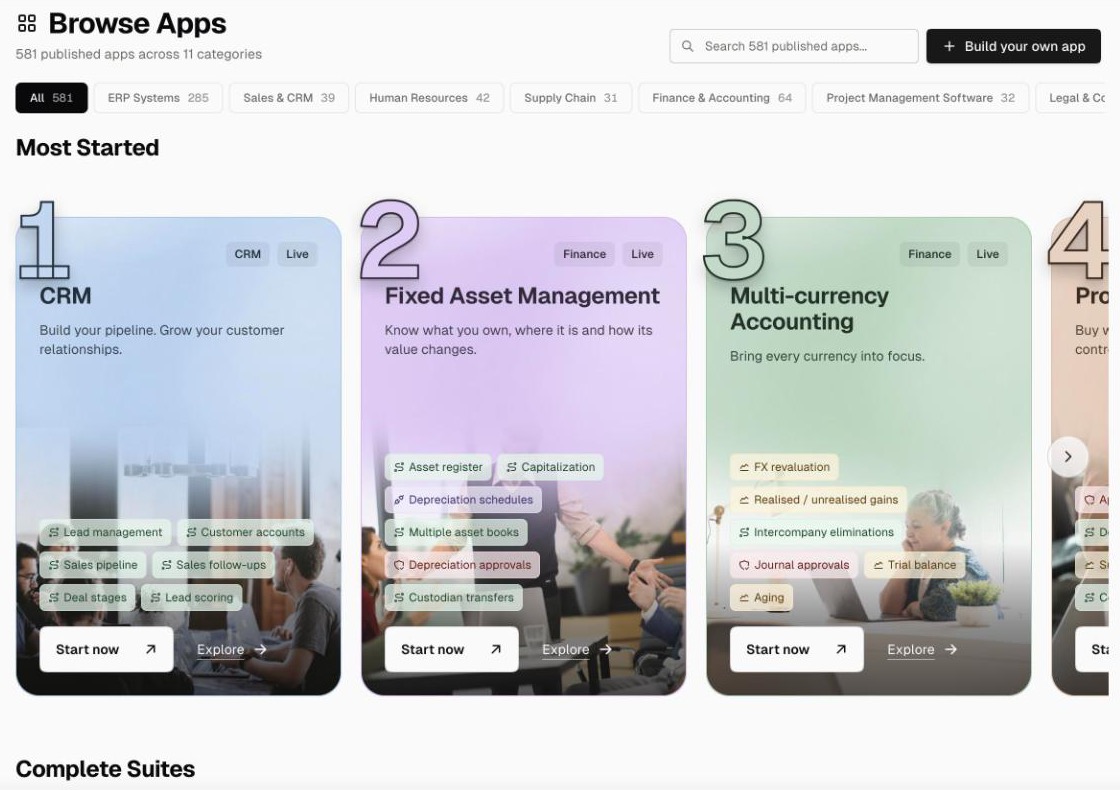
What you can do with ERP•AI
| You want to… | Use this |
|---|---|
| Store and organize business data (customers, orders, employees, assets…) | Tables, records, and fields |
| Show only the data a team needs | Views (saved filters) and layouts (Table, Board, Calendar, Gallery, Timeline, Ledger) |
| Calculate values automatically | Formula, Rollup, Auto Fill, and AI Column fields |
| Give people a guided screen instead of a raw table | Custom pages (dashboards, consoles, portals, forms) |
| Automate approvals, notifications, syncing, and scheduled jobs | Workflows (triggers + nodes, with a wide range of triggers and integrations) |
| Produce invoices, quotes, contracts, letters | Documents and templates |
| Control who sees and changes what | Organization roles, app roles/permissions, and audit logs |
| Start in minutes | Published apps (a large catalog of ready-made apps across many business categories) |
| Let an AI build or change your app | Proto, the AI agent (a desktop app for macOS, Windows, and Linux) |
| Connect other software or AI agents | REST API, API keys, MCP, and External Apps |
| Share your app with other businesses | Publisher (list your app on the ERP•AI marketplace) |
How ERP•AI is structured
Organization (your company workspace)
 ├── Members, roles, departments, billing, API keys, audit logs
 └── Apps
      ├── Tables  → Fields (columns) → Records (rows)
      ├── Views and layouts
      ├── Custom pages
      ├── Workflows
      ├── Documents and templates
└── App settings, app roles, Command Centre- Organization: your company’s workspace. It holds your apps, your people, and your credit balance. You can belong to more than one organization.
- App: one complete business application, such as “CRM” or “Procurement”.
- Table: a list of one kind of business object, such as Customers or Orders.
- Record: one row in a table, such as one customer.
- Field (column): one piece of information on every record, such as Email or Order Date.
See the glossary for every term.
Three ways to get an app
- Install a published app. Pick an app from Browse Apps on the Home page (for example Procurement, B2B CRM, or Core HR) and click Activate app. ERP•AI sets up its tables, forms, roles, documents, workflows, and dashboards for you. See Browse and install published apps.
- Build it yourself. Create an empty app and add tables, fields, views, and workflows. See Quick start.
- Ask Proto. Describe your business process and Proto maps, builds, and reviews the app with you. See Proto AI agent.
Pricing in one sentence
ERP•AI has no base fee or subscription, and every new account starts with $100 of credit, valid for 1 month, so you can start using the platform right away. Viewing, searching, and manual record work in the app are free. Purchased credits never expire, and credits are used only for metered activity such as API calls, imports, workflow runs, AI, and storage beyond the included amount; you can top up whenever you need more. See Pricing, credits, and what things cost.