Field types overview
Fields (also called columns or properties) define what information each record stores. ERP•AI offers many field types you can add, plus system fields that every table gets automatically.
Add a field
- Open a table and click + Column in the toolbar (or press Shift+C).
- In New Property, pick a type. Type in the search box to find it faster.
- In Configure, enter the Property name and set the options.
- Click Save.
To change a field later, click its column header and choose Edit column.
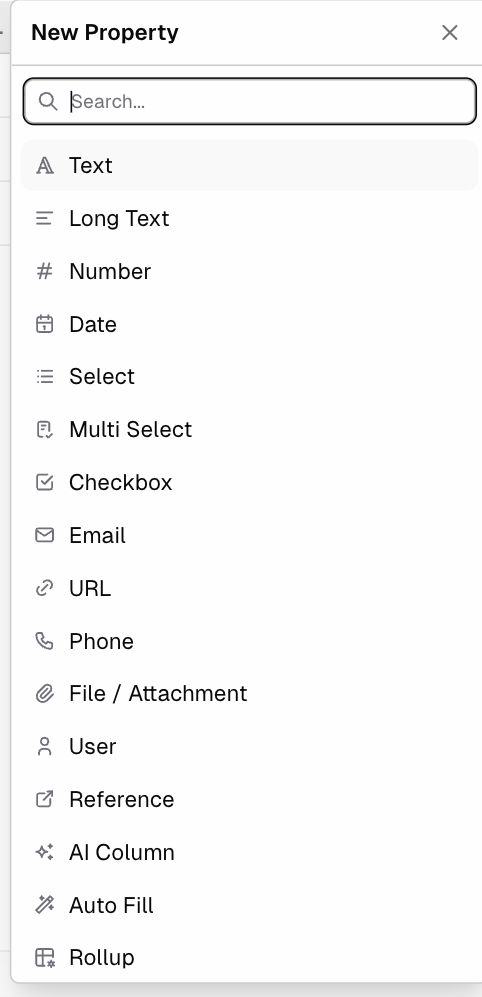
All field types
| Type | Stores | Typical uses | Details |
|---|---|---|---|
| Text | A single line of text | Names, codes, reference numbers | Basic field types |
| Long Text | Several lines of text | Notes, descriptions, terms | Basic field types |
| Number | A number, optionally as currency | Quantity, price, amount, score | Basic field types |
| Date | A date, optionally with a time | Order date, due date, start date | Basic field types |
| Select | One choice from a list | Status, priority, type | Basic field types |
| Multi Select | Several choices from a list | Tags, skills, categories | Basic field types |
| Checkbox | Yes / No | Active?, Approved?, Paid? | Basic field types |
| An email address | Contact email | Basic field types | |
| URL | A web link | Website, document link | Basic field types |
| Phone | A phone number | Contact phone | Basic field types |
| File / Attachment | Uploaded files | Contracts, photos, receipts | Basic field types |
| User | One or more app users | Owner, assignee, approver | Basic field types |
| Duration | A length of time | Time spent, SLA time | Basic field types |
| Reference | A link to record(s) in another table | Order → Customer, Task → Project | Reference fields |
| Formula | A value calculated from this record’s fields | Total = Quantity × Unit Price | Formula fields |
| Rollup | A summary of linked records | Customer’s total sales (SUM of orders) | Rollup fields |
| Auto Fill | Values copied from a matching record in another table | Customer email on an order | Auto Fill fields |
| AI Column | A value generated by AI from a prompt | Summaries, classification, extraction | AI Column |
System fields (added automatically)
| Field | Type |
|---|---|
| Id | Auto Sequence |
| Sequence Format ID | Sequence format |
| Created At / Updated At | Date |
| Created By / Updated By | User |
| Draft | Checkbox (when drafts are enabled) |
| Related Table | Reverse link, added when another table references this one |
Choosing the right type
- Use Select instead of Text whenever the values come from a fixed list. This keeps data clean and makes filters and charts more useful.
- Use Reference to connect tables. Never type another record’s ID into a text field.
- Use Formula / Rollup / Auto Fill for values that can be calculated. That way they never go out of date.
- Turn on Is Currency for money values in Number fields.