Nodes reference
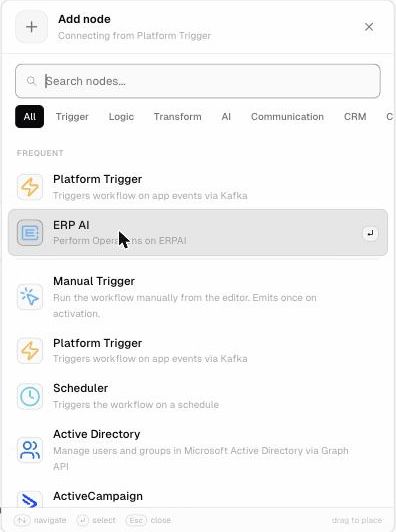
Nodes are the steps of a workflow. Add one by clicking + after an existing node, then search or browse by category in the Add node panel.
Categories: Trigger · Logic · Transform · AI · Communication · CRM · Custom · Developer · ERP · Finance · IT · Productivity
Logic
| Node | What it does |
|---|---|
| If | Splits the workflow into true and false branches based on a condition |
| Switch | Sends items down one of several branches depending on a value |
| Filter | Keeps only the items that match a condition |
| For Each / Loop | Repeats steps for each item or a set number of times |
| Merge | Joins branches back together |
| Split | Splits items into separate items |
| Set | Sets or overrides fields on each item |
| Wait | Pauses the workflow for a set time or until a condition is met |
| No Op | Passes items through unchanged (useful as a placeholder) |
Transform
| Node | What it does |
|---|---|
| Aggregate | Combines all input items into one item that holds a list (the opposite of Split / For Each) |
| Split Out | Turns a list field into separate items |
AI
| Node | What it does |
|---|---|
| AI Node | Generates text with AI models: summarize, classify, extract, draft replies… |
ERP
| Node | What it does |
|---|---|
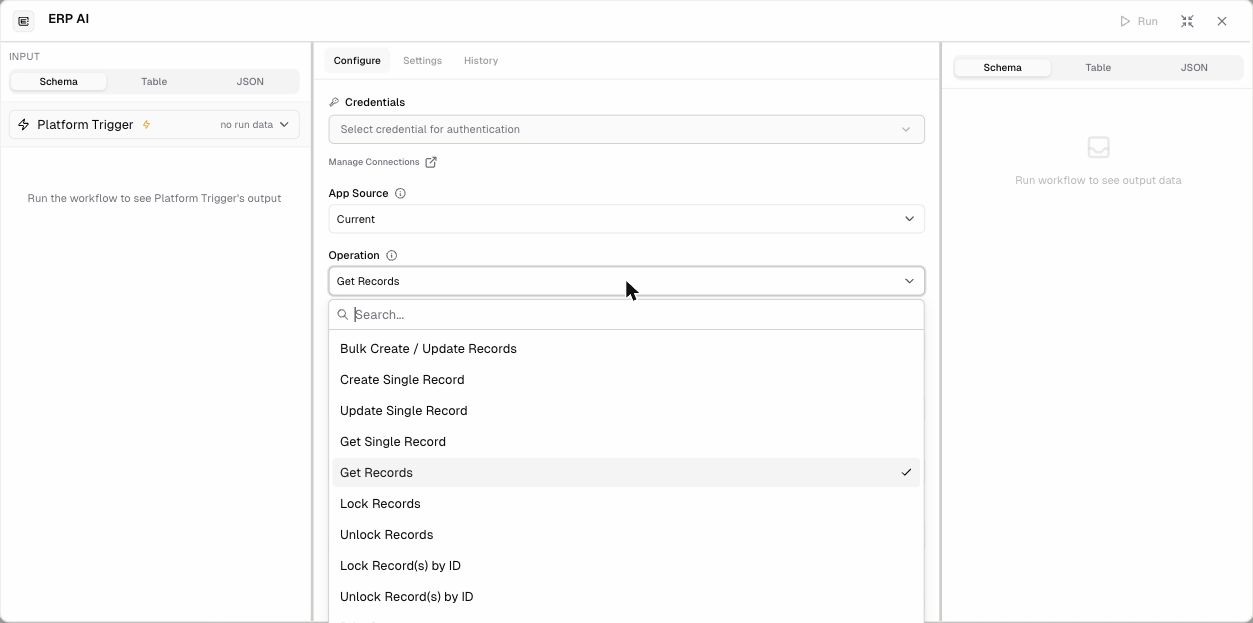
| ERP AI | Works with ERP•AI records. App Source (Current app or another app) and Operation: Bulk Create / Update Records, Create Single Record, Update Single Record, Get Single Record, Get Records (with Page, Page Size, Sort By, and AND/OR Filters), Lock Records, Unlock Records, Lock Record(s) by ID, Unlock Record(s) by ID, Print Document |
| Deskera BooksPlus, Deskera People | Work with Deskera accounting and HR data |
| NetSuite | Integrate with Oracle NetSuite |
| Shopify | Work with Shopify stores |
| EDI | Electronic data interchange |
| SLA nodes | SLA Targets by Priority, SLA Timer Rules by Status, SLA Working Calendar, Track SLA on Ticket: building blocks for service-level tracking |
Communication
Brevo · Customer.io · Discord Bot · Discourse · Email · ERPAI Teams Bot Action · Facebook Graph API · Freshdesk · Gmail · Intercom · LinkedIn · Mailchimp · Mailgun · Matrix · Mattermost · Medium · MS Outlook · Postmark · Pushover · Reddit · Rocket.Chat · SendGrid · Slack · Telegram · Twilio · Vonage · WhatsApp Business Cloud · X (Twitter) · Zoom · and more
Developer
| Node | What it does |
|---|---|
| HTTP Request | Calls any REST API |
| Code Executor | Runs JavaScript code |
| GraphQL | Runs GraphQL queries |
| Data tools | Crypto (hashing/encryption), Markdown (convert between Markdown and HTML) |
| Databases | MySQL, PostgreSQL, MongoDB, Redis, Elasticsearch, Snowflake, Supabase, NocoDB |
| Files and servers | FTP, SSH, S3 / Cloudflare R2, Execute Command |
| DevOps and monitoring | GitHub, GitLab, Bitbucket, CircleCI, Jenkins, Netlify, Cloudflare, Grafana, Sentry, Splunk, PostHog, Segment, Metabase, Kafka |
CRM, Finance, IT, Productivity, Custom
Hundreds more integrations, for example HubSpot, Salesforce, Pipedrive (CRM), Stripe, PayPal, Chargebee (Finance), Jira, Zendesk (IT), Google Sheets, Notion, Asana, Trello, ClickUp (Productivity), and community nodes such as OpenWeatherMap (Custom).
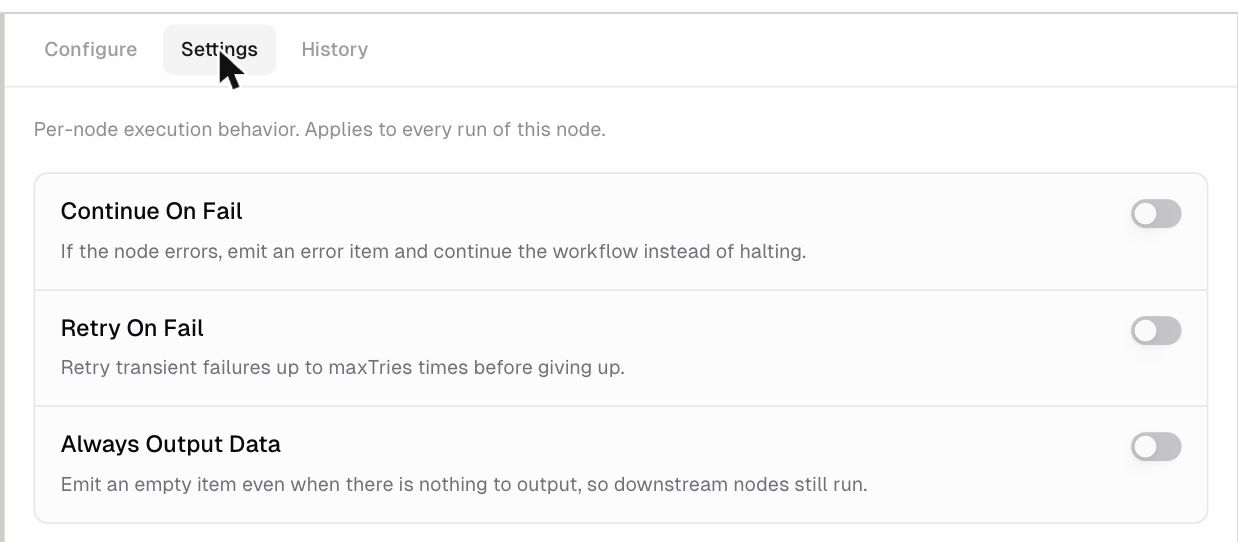
Settings every node has (Settings tab)
| Setting | What it does |
|---|---|
| Continue On Fail | If the node errors, it outputs an error item and the workflow carries on instead of stopping |
| Retry On Fail | Retries temporary failures up to a set number of times before giving up |
| Always Output Data | Outputs an empty item even when there’s nothing to output, so the next nodes still run |
The History tab shows the node’s past executions.