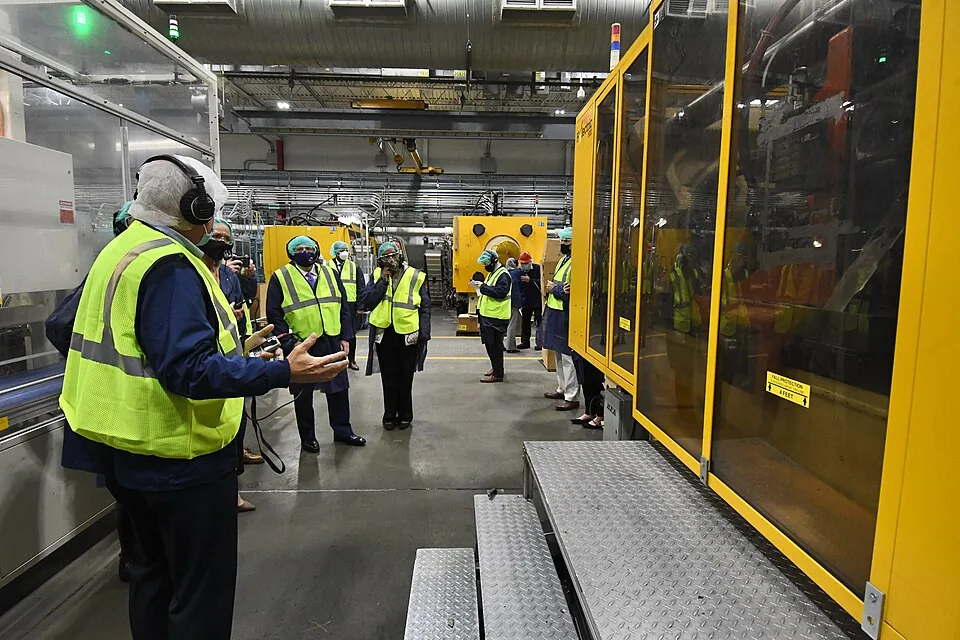
Shop floor
Work orders, dispatch, operations, labour, material issue, scrap and completion, recorded where the work happens.
Illustrative shop-floor schedule
Connect product engineering, material planning, shop-floor work, purchasing, quality and manufacturing costs in one system.
Planner reviews suggestions, releases WorkOrders (Status: Planned → Released), and WorkOrderComponents + WorkOrderOperations are generated from the referenced BOM and Routing.
| Work Order Number | Product | Quantity Ordered | Quantity Completed | Planned Start | Planned End |
|---|---|---|---|---|---|
| WO-12156 | PRD-5525 | 50 | 0 | 21 Sep | 27 Sep |
| WO-61333 | PRD-6326 | 550 | 0 | 26 Sep | 01 Oct |
| WO-59893 | PRD-3945 | 210 | 70 | 16 Sep | 25 Sep |
| WO-72971 | PRD-5394 | 840 | 0 | 18 Sep | 27 Sep |
| WO-14931 | PRD-8370 | 50 | 0 | 19 Sep | 23 Sep |
| WO-92173 | PRD-9069 | 520 | 300 | 15 Sep | 20 Sep |
Illustrative records derived from the system specification.
Planners, production managers and controllers at make-to-order and repeat manufacturers who want planning, the floor and costs on one record.
Defined in the planned system specification.
Connect product engineering, material planning, shop-floor work, purchasing, quality and manufacturing costs in one system.
Work orders, dispatch, operations, labour, material issue, scrap and completion, recorded where the work happens.
Illustrative shop-floor schedule
Items, bills of material, routings and engineering change, with revision control on all of it.
Demand, master schedule, MRP and capacity: from what customers want to what the plant and suppliers must do, with every planned order traceable to its demand.
Warehouses, locations, lots and serials, every stock movement, cycle counting and valuation that reconciles to the ledger.
Requisitions, sourcing, purchase orders, receiving, three-way match and supplier performance, with approval where money is committed.
Inspection plans, incoming and in-process inspection, non-conformance, corrective action, holds and certificates, tied to the exact lot or order.
Standard costs, cost rollups, work-in-progress, variances and the journal entries that make every movement a posting.
The assigned Approver reviews submitted requisitions and POs, records the decision in Approvals, and approves the purchase (Status: Submitted → Approved).
Approval waits for the approver.
Visible to: Buyer, Quality Inspector. Visibility does not establish approval authority.
Approval conditions.
Planned vs. actual quantity, time, and cost per work order; highlights scrap rate and labor efficiency.
opens Open Work Orders →| Work Order Number | Product | Quantity Ordered | Quantity Completed | Planned Start |
|---|---|---|---|---|
| WO-12156 | PRD-5525 | 50 | 0 | 21 Sep |
| WO-61333 | PRD-6326 | 550 | 0 | 26 Sep |
| WO-59893 | PRD-3945 | 210 | 70 | 16 Sep |
| WO-72971 | PRD-5394 | 840 | 0 | 18 Sep |
ownerProduction Planner
Go from the big picture to the details behind it. Open any record to see its status, owner and history.
Approval conditions.
Illustrative records. Connections and approval states follow the authored specification.
From material plans to finished products.
Illustrative previews from the system specification.
Capture customer demand, quantities and delivery dates so production knows what to make.
Order to cashCompare demand with available stock and open supply to plan purchases and production.
Plan to produceReview buying decisions before orders go to suppliers.
An assigned approver reviews the purchase within their authority; requesters and buyers cannot approve their own spend.
Procure to payCoordinate materials, operations and shop-floor progress against the released production plan.
Plan to produceComplete required inspections and resolve holds before goods become available for delivery.
The quality inspector reviews required inspection results and authorises release of held material before completion or shipment.
Quality hold to releaseAllocate finished goods to approved orders, record delivery and prepare the customer invoice.
Order to cashTwo checkpoints where the decision stays with your team.
An assigned approver reviews the purchase within their authority; requesters and buyers cannot approve their own spend.
Procure to payThe quality inspector reviews required inspection results and authorises release of held material before completion or shipment.
Quality hold to releaseHuman approval and system automation have different jobs.
An assigned approver reviews the purchase within their authority; requesters and buyers cannot approve their own spend.
The quality inspector reviews required inspection results and authorises release of held material before completion or shipment.
Approval workflows for WorkOrder release, PO, Bill match, and Quality holds.
Auto-JE posting on every material movement.
Shortage alerts when MRP detects component unavailability inside the planning time fence.
Integration feeds to EDI, carriers, and shop-floor scanners.
Owns MRP, work-order release, scheduling, and BOM/Routing maintenance.
Runs the floor — assigns operators, posts production, handles holds.
Manages procurement of raw materials and components.
Performs inspections and dispositions non-conforming material.
Owns the general ledger, payables, and receivables for manufacturing transactions.
Executes assigned production operations; separately assigned receiving and stock-handling permissions cover warehouse work.
Makes assigned purchasing and control decisions independently of the person who requested or prepared them.
Start with the question. Follow it to the records behind the answer.
Components short to cover demand, grouped by lead-time bucket and buyer.
Production Planner
View MRP DemandPlanned vs. actual quantity, time, and cost per work order; highlights scrap rate and labor efficiency.
View Open Work OrdersAvailability × Performance × Quality per work center, rolled up to department.
Shop Floor Supervisor
View Work Center LoadStandard-cost valuation by item type (Raw, WIP, FG) and warehouse, reconciled to GL inventory accounts.
Accountant
On-time delivery %, incoming-inspection reject %, and price variance per vendor.
View Incoming Inspection QueueOrders completed on-time-in-full vs. planned, by product family and week.
Production Planner
View Shop Floor Schedule (Gantt)First-pass yield, reject rate, and top-10 defect codes for a period.
Quality Inspector
View Quality HoldsTrial balance and manufacturing P&L with COGS broken into material, labor, and overhead.
Accountant
View Unposted Journal EntriesLet your AI agent help with everyday work. Set its permissions during setup and keep approvals with your team.
List the work that needs attention. Keep the approval with the assigned reviewer.
Download agent Agent setup guide$ curl -fsSL https://www.erp.ai/skill.md
› open Manufacturing ERP and list records waiting on purchase
Plan to ship · records listed with owner and age
› approve the first one at purchase, as its approverEvery order is different: quoting from estimated routings, job costing, and a schedule that changes daily.
Setup, run and material at standard produce the quote price; the same estimate becomes the job's plan on order.
Stable products in volume: rate-based schedules, backflushing, line-side stock and takt, with the ledger still exact.
Instead of a work order per batch, a production schedule states units per shift per line; completions are reported against the schedule.
Formulas instead of bills, yields, potency and shelf life, lot genealogy, and the batch record a regulator can read.
Quantities by percentage or weight, scalable to batch size, with by-products and co-products.
Long-lead, designed-to-contract products: project structure over the plan, milestones, progress billing and cost to complete.
Work orders, purchases and engineering hours belong to a project phase; the project shows cost to date and cost to complete.
Products and product families, plants and warehouses, work centres and shifts, item policies (make or buy, lot sizing, lead times), approval thresholds, quality gates, cost method, chart of accounts and dimensions. This is a workshop and a spreadsheet, and it becomes configuration.
Plant and ERP.aiCreate the application from the reviewed specification, configure roles and workflow thresholds, and verify the document conflicts for Approver. Then load items, bills, routings, suppliers and customer contacts in the migration order on the data model page. Reconcile record totals and inspect representative references before loading open transactions.
ApproverA normal week: orders in, MRP, releases, receipts, production, shipments, close. Then the exceptions: a short part, a failed inspection, a change order, a returned lot. Each role runs their own steps.
Plant and ERP.aiStock by lot, open orders in their current status, ledger balances by account, reconciled to the old system on the cutover date.
Plant and ERP.aiUsually purchasing and inventory first, then planning and production, then finance close. Each process goes live when its rehearsal passed, and the previous system is retired for that process only.
Plant and ERP.aiStandards corrected from the first variances, reports tuned, integrations switched on one by one.
Plant and ERP.aiThe base account and ordinary manual work in ERP.AI's official interface are $0. Viewing, searching, creating, editing, approving, deleting and exporting records in that interface do not consume read or write credits. There is no per-user fee.
Machine work: external API-key requests, imports, workflows, agents and scheduled jobs. Successful external API-key reads and writes use the operation rates below. Starting a managed execution from the interface still starts that metered service.
Pricing and account rules| Machine work | Included per $1 of credit |
|---|---|
| List/filter or get record calls | 20,000 |
| Search or aggregate calls | 4,000 |
| CSV or PDF exports | 100 |
| Record writes | 4,000 |
| Imported or synced records | 200,000 |
| File upload in MB | 2,000 |
| Workflow runs | 2,000 |
| Code-node compute beyond included in CPU-sec | 12,000 |
| Agent executions | 2,000 |
| Scheduled jobs or webhook activations | 20,000 |
Read and write rates apply to successful external API-key requests. Ordinary manual work in the ERP.AI interface is $0.
prepaid creditsSmallest pack $5, purchased credits never expire.
How the system works, what you can configure and how to get started.
Select Start now to create your account. Explore the system specification, or use Proto to configure it for your business.
The specification defines multi-level bills, dated bill revisions and versioned routings. Released work orders retain their referenced bill and routing. Phantom items, component substitutes and serial-based effectivity need to be included explicitly in the rollout scope where the plant uses them.
The planned flow explodes bills, nets demand against inventory and open supply, and records planned orders and exceptions. MasterSchedule and work-centre capacity support the planning review. The rollout must verify the plant's lot-sizing, forecast-consumption and rescheduling rules against real orders.
The model includes Lots and Serials, with links to production and delivery. A rollout rehearsal must trace actual receipts through issues and shipments, including partial quantities, returns and rework, before the plant relies on it for a recall.
The authored model uses standard costing, pending standards and reviewed cost rollups. Average costing requires an agreed extension and reconciliation checks; it is not represented by the current item fields.
Yes. The ledger is included, but journals export by period to a group ledger if that is where consolidation happens.
Scanners can be connected to receiving and movement actions. Machine counters can feed production logs through an agreed mapping. Device protocols, duplicate handling and operator confirmation are part of integration work described on the integrations page.
The schedule depends on the app configuration, data quality, integrations and rehearsal results. Agree it after reviewing the plant's scope; the implementation page sets out the work and acceptance points.
Yes. Fields, rules, approval steps and modules are changed with Proto on a branch you review. You never wait for a vendor release.
Yes. Same records, same permissions, its own identity. Human gates stay human. See the agent page.
Nothing per user. Credits pay for machine work and never expire. See pricing.
An assigned approver reviews the purchase within their authority; requesters and buyers cannot approve their own spend.
The quality inspector reviews required inspection results and authorises release of held material before completion or shipment.
Follow the operating model from the process to the people, records and decisions behind it.
“Add a second approval above 10,000.”
Plain language.
The change lands on a branch with the diff and a test run.
Merged into your workspace. Every user gets it.